What steps can I take to get ready?
-
Update us so we can update you! Make sure your address and phone number are up to date with Access Health CT and/or the Department of Social Services (DSS). Consider providing your email address, opting to receive text messages or selecting paperless delivery for important notifications.
- HUSKY A, B and D members can update their information online through the Access Health CT website or by calling Access Health CT at 1-855-805-4325 (TTY 1-855-789-2428 or call 1-855-805-4325 with a relay operator)
- HUSKY C members can update their information online through the Connecticut Department of Social Services website or by calling DSS at 1-855-626-6632
- Look for mail or email messages from DSS, Access Health CT and HUSKY Health
- Follow the Department of Social Services on social media for updates CT Department of Social Services Facebook page and CT Department of Social Services X page
What happens to my coverage when Continuous Enrollment ends?
The Department of Social Services will contact you to complete a renewal form to see if you qualify for coverage for the next year. You should wait until you receive your renewal notification to take action but you can update your contact information at any time.
You will receive a renewal form 45 days before your coverage is due to end. It is important to complete your renewal quickly and provide any documentation that may be requested. This may help you to avoid any gaps in medical coverage.
How do I complete my renewal once I get the notice?
When you receive your renewal notification, the fastest way to complete it is to go online.
- HUSKY A, B, and D members, visit the Access Health CT website
- HUSKY C members, visit the CT Department of Social Services website
When you update or confirm your application details through Access Health CT, you will get a final determination on whether your HUSKY Health coverage will be renewed or if you qualify for another program. You will see that result on the final screen of the application, and you will also receive a confirmation by mail (1-3 business days) or through your online account inbox.
What if I no longer qualify for HUSKY Health?
If you no longer qualify for HUSKY Health, you can shop for health and dental coverage through
Access Health CT. There are full coverage options available at little or no cost. Contact Access Health CT to find out what you may qualify for:
- Online at the Access Health CT website
- Over the phone at 1-855-805-4325 (If you are deaf or hearing impaired, you may use the TTY at 1-855-789-2428 or contact us at 1-855-805-4325 with a relay operator)
What do I need to do now?
Update your household and contact information! You can call us or follow the steps below to make your updates online. Make sure we have the most up to date information about your household, including your annual income and your contact information
- If you don’t have any updates to report, wait for a notice telling you when it’s time to take further action
- There is no need to contact us until you receive your notice
HUSKY A, B and D members:
- Contact Information
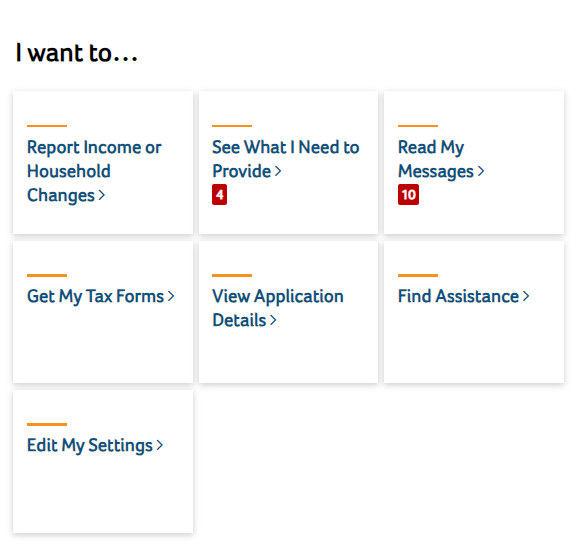
Select Edit My Settings, then Update Contact Information to add or change an email address, mailing address or phone number. You can opt in to receive Paperless notifications or text alerts
- Household Information
Select Report Income or Household Changes to report a change in your home address, annual income or tax filing status
HUSKY C members:
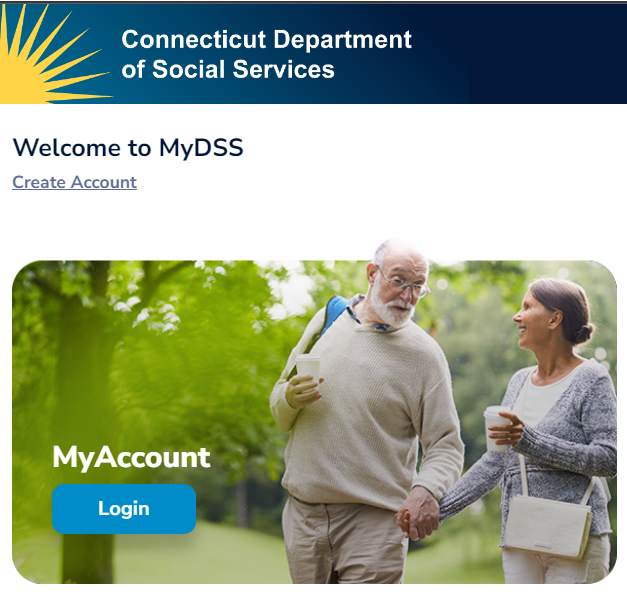
- Visit the CT Department of Social Services website and click Login under My Account to get started